
Every trading card photo booth we run uses one of two experiences. Fan Card is the fast line: one custom design, up to five titles guests tap on screen, a clear toploader, done. Signature Card is the keepsake: name, number and stats entered with a live preview, a personal back, a studio portrait or an AI player render, and a magnetic case with a holographic seal. Both run on the same booth with a host and studio lighting. Here's how they differ and how to pick the one that fits your crowd.
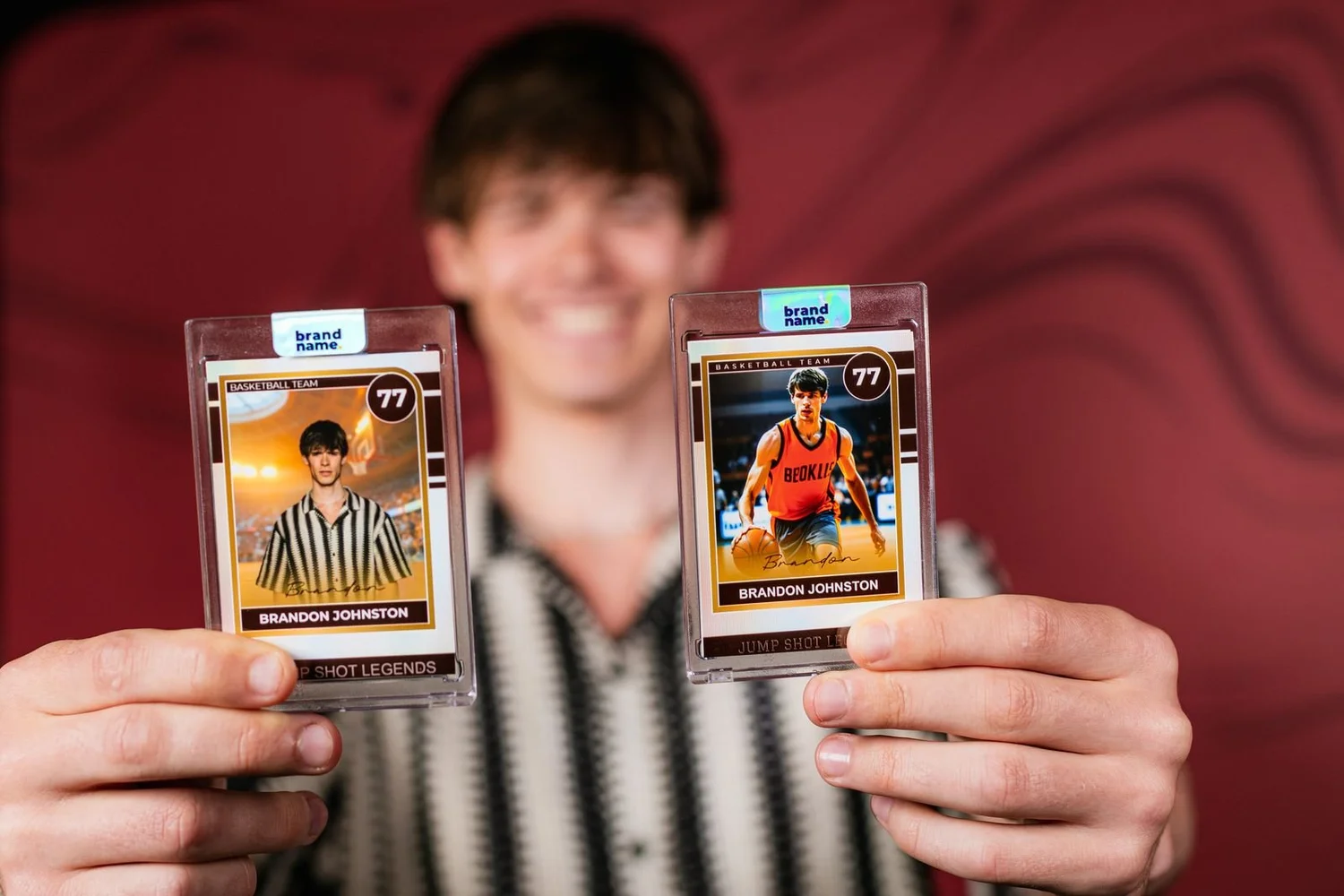
Fan Card vs Signature Card at a glance
| Fan Card | Signature Card | |
|---|---|---|
| The front | Their photo in your event design, titled with the option they tap | Their photo with their name and number |
| The back | Your event, team or sponsor, the same for everyone | Their stats and a personal back |
| At the screen | One tap from up to five options, no typing | Name, number and stats, with a live preview |
| The photo | Studio portrait | Studio portrait or AI player render, your choice |
| The finish | Clear rigid toploader | Magnetic one-touch case with a holographic seal |
| Finishing | At the booth | At a dedicated finishing station |
| Data | None collected | Opt-in fields for brand programs |
| Best for | The fastest line and the biggest crowds | Keepsakes, brand programs and fan nights |
Both print on site at the classic 2.5 by 3.5 inch size, finished to collector-card thickness, and both send the digital copy to the guest's phone.
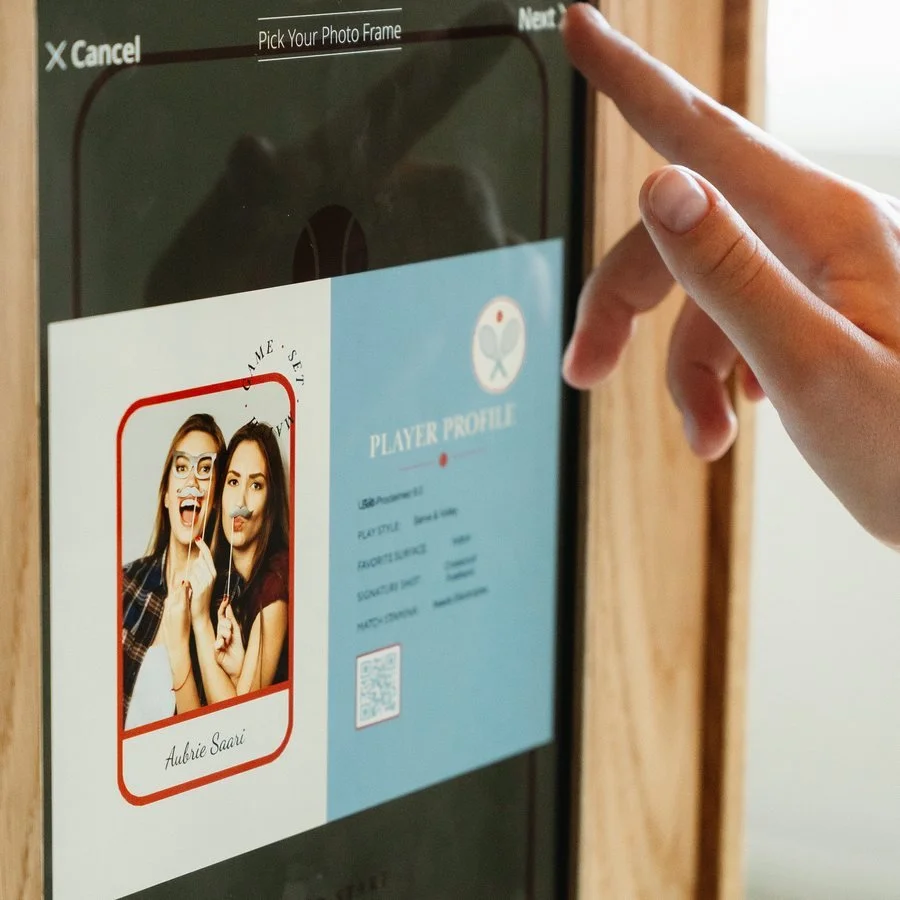
Fan Card: one design, up to five ways to play it
We design one card for the event and give it up to five titles. Guests tap the one that fits them, so every card in the room still feels like theirs without anyone typing. A few ways hosts use the titles:
- Team night: Quarterback, Wide Receiver, Running Back, Linebacker, Kicker.
- Company party: Sales, Operations, Leadership, Engineering, Support.
- Storybook birthday: Princess, Knight, Fairy, Wizard, Dragon Rider.
- Tennis social: Ace, Baseliner, Net Rusher, Doubles Partner, Club Champ.
Fewer than five titles works too; some events want one card and one title. The photo goes on the front, the event on the back, and the card slides into a clear rigid toploader at the booth. Fan Card fits team parties, youth tournaments, grad nights, mitzvahs and holiday parties with a fast-moving line.
Signature Card: one of one, sealed
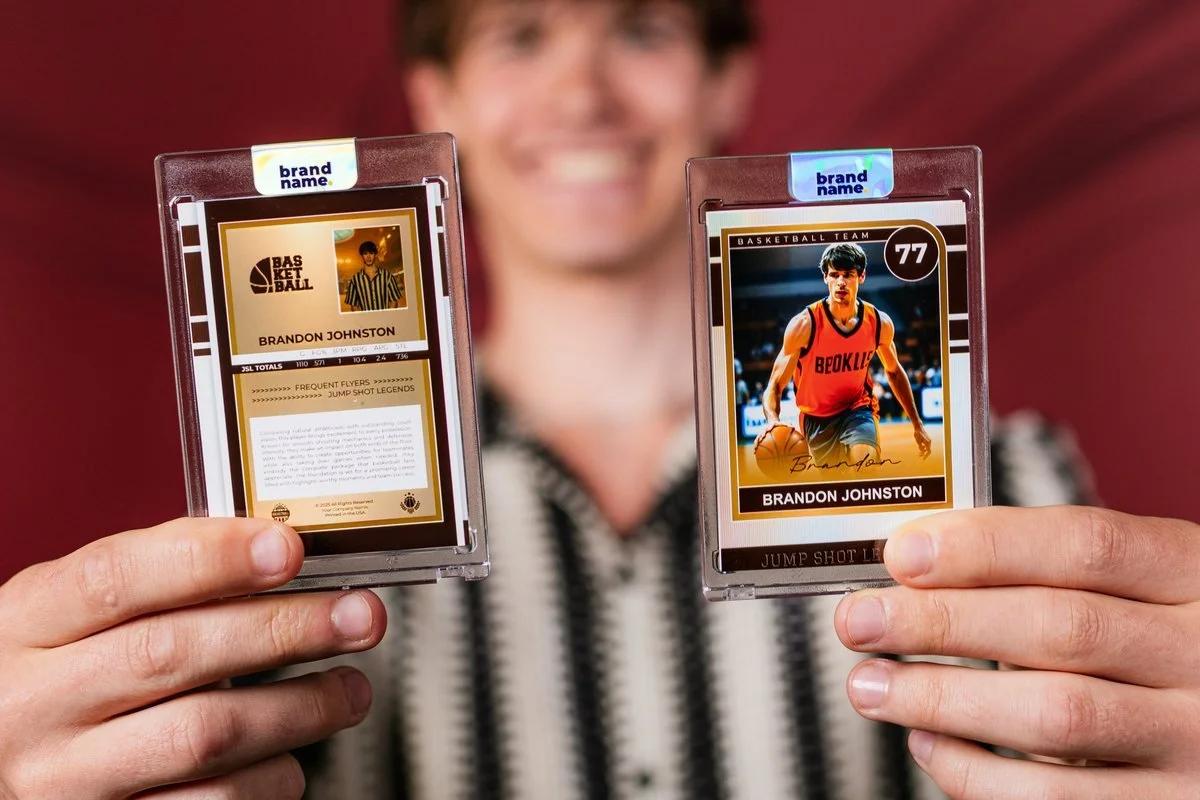
Signature Card turns each guest into the player on a card nobody else has. At the screen they enter their name, their number and their stats, and approve a live preview before anything prints. You choose the front for the event: the guest's own studio portrait, sharp and true to life, or an AI player render that puts them in full uniform under stadium lights, built from the photo they just took. The AI render is a Signature-only option; our guide to AI trading cards shows what it looks like.
Each card is finished at a dedicated station in a magnetic one-touch collector case, sealed with a holographic seal carrying your logo. Opt-in fields can be added for brand programs. Signature Card fits corporate events, fan nights, gaming events, product launches and campus events where the card is the takeaway.
How to choose
- Pick Fan Card if the crowd is large, the window is short, or the event needs a card for everyone without a finishing station. A youth tournament, a school event or an open-house party usually lands here.
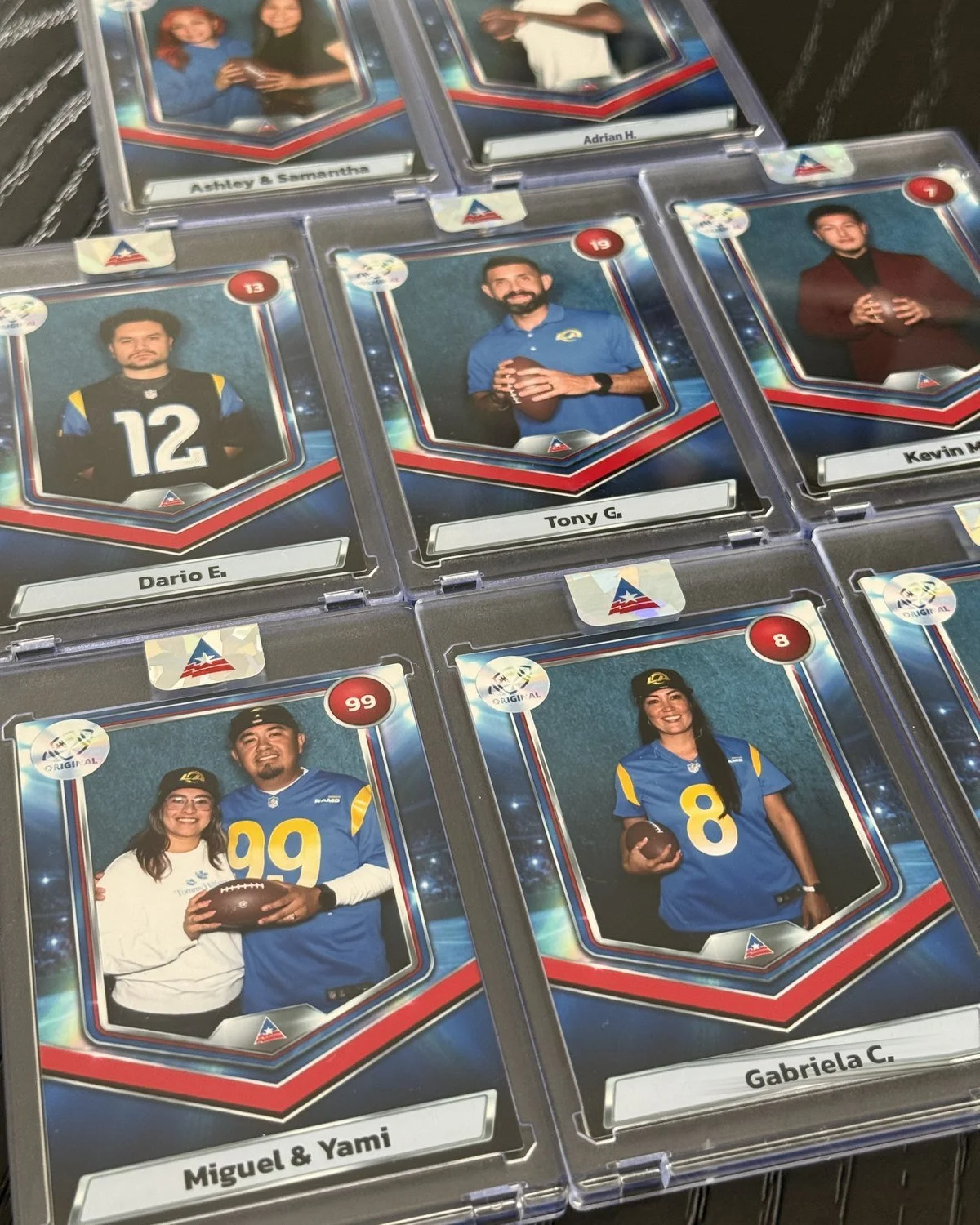
- Pick Signature Card if the card is the gift or the campaign. A member night, an employee appreciation event, a sponsor activation or a product launch usually lands here. At CommunityAmerica's member night with the LA Rams, Signature Card turned each member's photo, name and number into a cased keepsake; see the case study.
- Headcount settles the rest. Cards are quoted as a quantity (custom cards for up to 80 guests), and large Signature programs add a second station rather than cutting personalization.
Running both, or adding to either
Booking starts with the Fan Card experience, and Signature Card is the one upgrade. Either card can add a metallic chrome finish, a second station, an athlete signing station, display stands or extra cards. For activation-scale card programs, the scope is quoted by the job.
Trading cards pair with an open-air photo booth for group photos alongside the cards, and with the AI photo booth for the player render. Our guide to what a trading card photo booth is covers how the booth works from step-up to finished card.
Fan Card and Signature Card questions
What is the difference between Fan Card and Signature Card?
Fan Card is one custom design with up to five titles guests tap on screen, finished in a clear toploader. Signature Card adds the guest's name, number and stats with a live preview, a personal back, a studio portrait or AI render, and a magnetic case with a holographic seal.
Which is faster, Fan Card or Signature Card?
Fan Card. One tap and no typing keeps the biggest crowds moving. Signature Card takes a little longer per guest because of data entry and the finishing station, so large programs add a second station.
Can guests type their own name on the card?
On Signature Card, yes. Guests enter their name, number and stats at the screen and approve a live preview before the card prints.
Is the AI player render available on Fan Card?
The AI player render is a Signature Card option. Fan Card uses the guest's studio portrait.
Can we start with Fan Card and upgrade?
Yes. Booking starts with the Fan Card experience, and Signature Card is the one upgrade. Finishes, a second station and extra cards can be added to either.
Not sure which card fits?
Send the event, the date and the guest count, and we'll recommend Fan Card or Signature Card and send pricing.
Get Pricing